Golf Simulator Room Setup Tips: Avoid the Mistakes
By Divotloft . 11 min read . Updated June 2026
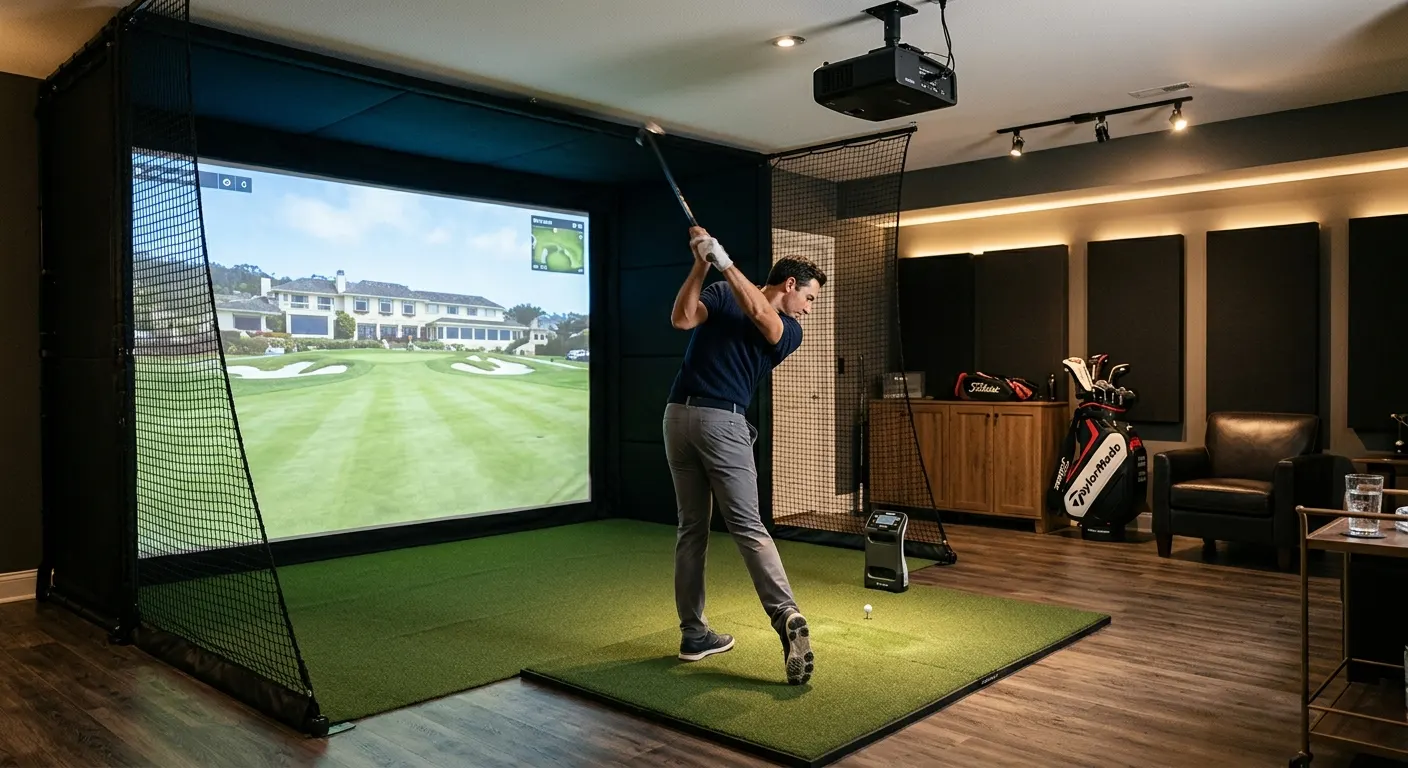
Most home golf simulator build mistakes happen before a single component is purchased. They happen when a buyer measures the room too optimistically, ignores the projector throw ratio math, or overlooks the height mismatch between a hitting mat and bare floor. This guide covers the room setup decisions and measurements that prevent the most common costly rework. Get the enclosure size right for your room dimensions. Run the projector throw calculation before choosing a unit. Level the floor so the hitting mat sits flush rather than proud. Add side barrier safety before anyone swings. These decisions cost nothing to get right in planning and hundreds or thousands of dollars to fix after the build is in place. Start with the The Indoor Golf Shop SIG10 Enclosure if you have the width for it, then work outward to the floor, the mount, and the barriers.
Quick answer
Measure your room for three numbers before buying: ceiling height, room width, and depth behind the hitting mat. The enclosure needs at least 9 feet of ceiling. Projector throw distance divided by screen width gives the throw ratio you need. Hitting mat height sets your tile thickness. Side barriers are not optional near walls or equipment beside the screen.
This guide contains affiliate links. Divotloft may earn a commission at no cost to you.
Ceiling height: the most underestimated constraint
Ceiling height is where the most painful mid-build discoveries happen. Owners measure the highest point of their garage or basement and buy accordingly, then discover that exposed joists, HVAC ductwork, a beam, or a drop ceiling reduces usable swing clearance by 6 to 18 inches. Always measure to the actual lowest obstacle above the hitting position, not to the highest ceiling point in the room.
The practical minimum is 9 feet of clear height above the hitting mat. For taller golfers or players with a very upright driver swing, 10 feet is safer. If your room is 8.5 feet clear, you may be able to build a practice net setup with a shorter hitting stance mat on a slightly elevated hitting platform, but a full enclosure build becomes very difficult without head clearance risk.
Enclosures themselves have height ratings. The The Indoor Golf Shop SIG10 Enclosure and The Indoor Golf Shop SIG8 Enclosure are both designed for 9-foot-plus rooms. Measure before ordering.
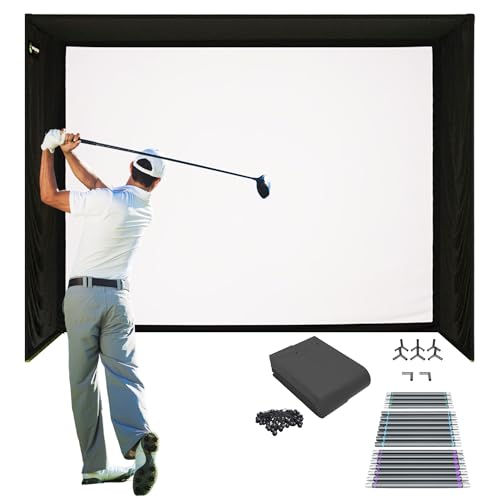
The Indoor Golf Shop SIG10 Enclosure
A complete tool-free enclosure kit in a single box with an 11-foot-wide aluminum frame, SIGPRO impact screen, side barrier netting, and weighted anchors, consistently ranked the best all-in-one enclosure for home builds in 2026.
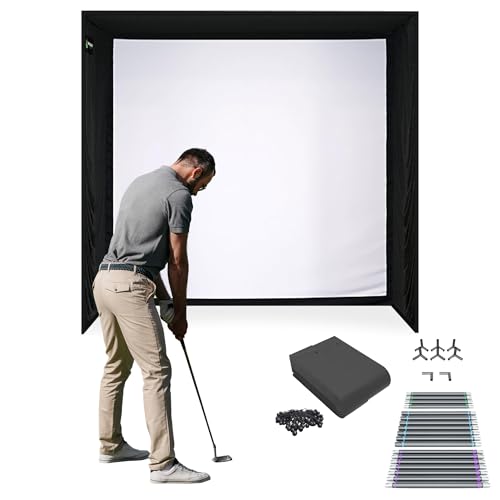
The Indoor Golf Shop SIG8 Enclosure
The 8-foot-wide sibling to the SIG10, offering the same SIGPRO screen and tool-free frame in a compact package that fits one-car garages and smaller basement rooms.
Room width and enclosure size: match these carefully
A wider enclosure catches more off-center shots but requires a wider room. The The Indoor Golf Shop SIG10 Enclosure at 11 feet wide is the standard for two-car garages with typical 18-foot to 20-foot openings. The The Indoor Golf Shop SIG8 Enclosure at 8 feet wide fits most one-car garages and smaller basement rooms. Below 10 feet of room width, a standard enclosure build becomes difficult unless you are building a net-only setup.
The key width measurement is the narrowest point of the room between any obstacles, including door frames, storage shelves, water heaters, or columns. A room that is 13 feet wide at one end but 10 feet wide at the hitting position is effectively a 10-foot room for enclosure purposes.
For very narrow rooms where even the SIG8 is too wide, the Carl's Place Premium Golf Impact Screen can be ordered in a custom width and hung in a narrower custom frame, with Golf Simulator Side Barrier Safety Netting panels on each side providing containment. This loses the clean all-in-one kit convenience but allows a build in rooms the standard kits cannot fit.
The Indoor Golf Shop SIG10 Enclosure
A complete tool-free enclosure kit in a single box with an 11-foot-wide aluminum frame, SIGPRO impact screen, side barrier netting, and weighted anchors, consistently ranked the best all-in-one enclosure for home builds in 2026.
The Indoor Golf Shop SIG8 Enclosure
The 8-foot-wide sibling to the SIG10, offering the same SIGPRO screen and tool-free frame in a compact package that fits one-car garages and smaller basement rooms.

Carl's Place Premium Golf Impact Screen
A custom-spec woven polyester impact screen available in sizes down to the inch, designed to hang in an existing frame or custom enclosure build, with a bright projection surface and rated for repeated high-speed ball impacts.

Golf Simulator Side Barrier Safety Netting
Standalone side barrier panels that mount beside an impact screen or enclosure to catch wide pulls and pushes that miss the main screen surface, an important safety addition for any custom enclosure build.
Projector throw ratio math: do it before buying
The throw ratio calculation is simple but skipped by too many buyers. Throw distance divided by screen width equals the required throw ratio. A projector whose ratio is too high simply cannot fill the screen from your room depth, and there is no software fix for a hardware mismatch.
The BenQ TK710STi Golf Simulator Projector at 0.69 to 0.83 throw ratio can fill a 10-foot screen from 7 to 8.3 feet of throw distance. The Optoma GT2400HDR Short Throw Laser Projector at 0.496:1 fills a 12-foot screen from under 6 feet, the tightest ratio of any mainstream option. For rooms where the projector can mount 8 to 10 feet back from a 10-foot screen, nearly any short throw unit works. For rooms under 6 feet of available throw distance, the Optoma GT2400HDR is the right choice.
The AllSportSystems SkyRail Sliding Projector Ceiling Mount with its 48-inch sliding rail is useful precisely for this: it lets you adjust the fore-and-aft position of the projector after mounting without re-drilling the ceiling. Install the rail first, then dial in screen fill by sliding the projector rather than moving the ceiling anchor. This is worth the $99 to $149 cost compared to the frustration of a fixed mount that puts you an inch outside the throw range.

BenQ TK710STi Golf Simulator Projector
A true 4K laser short throw projector with a 0.69 to 0.83 throw ratio, Golf Mode color calibration, and IP5X sealed optics rated for dusty garage environments, priced roughly $700 to $900 below the flagship AK700ST.
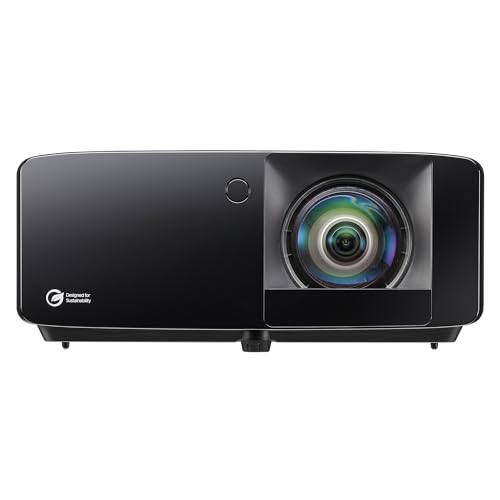
Optoma GT2400HDR Short Throw Laser Projector
A new-for-2026 ultra short throw laser projector with a 0.496:1 throw ratio that can fill a 12-foot screen from under 6 feet, 4,200 lumens, and a 30,000-hour laser lifespan, priced at $1,299.

AllSportSystems SkyRail Sliding Projector Ceiling Mount
A sliding ceiling-mounted projector arm with a 48-inch rail that lets you shift the projector fore and aft to dial in screen fill for both 4:3 and 16:9 formats without unscrewing the mount from the ceiling.
Flooring: match the tile height to the mat height
The goal is a flush transition from the hitting mat surface to the surrounding stance area. If the mat sits proud of the floor by half an inch, every time you shift your weight toward the edge of the mat you feel the step-down. If it sits below the surrounding tile level, the mat becomes a depression that feels unnatural at address.
Measure your hitting mat thickness first. The Real Feel Country Club Elite Golf Mat and most comparable mats run between 3/4 inch and 1 inch thick. The SimTurf Foam Floor Tiles for Golf Simulator Rooms at 5/8 inch pair with a 3/8-inch Rubber Gym Mat Floor Underlayment for Simulators to create a 1-inch stack that matches most 1-inch mats exactly. The rubber layer also handles moisture prevention on concrete slabs, which foam alone does not do well.
Plan the tile layout before cutting. A large sim room may require 100 or more square feet of tile. Cut the tile opening for the mat last, after all the surrounding tiles are placed, to ensure the cutout aligns exactly with the mat footprint. The Carl's Golf Room Floor Tile System system offers this same approach with color options if you are building a room entirely from Carl's Place components.

Real Feel Country Club Elite Golf Mat
A 110-ounce dense nylon mat on a 5/8-inch closed-cell foam base that accepts real wooden tees, cushions joints on fat shots, and pairs well with photometric launch monitors that read the lie at impact.
SimTurf Foam Floor Tiles for Golf Simulator Rooms
Purpose-built 5/8-inch interlocking foam tiles designed to pair with SimTurf putting surface and hitting mats at a matching 1-inch total height, so the hitting mat drops in flush with the surrounding studio floor.

Rubber Gym Mat Floor Underlayment for Simulators
A 3/8-inch dense rubber mat roll or tile underlayment that goes beneath foam tiles on concrete floors to absorb shock, prevent moisture migration, and add meaningful sound deadening to a garage or basement sim room.
Carl's Golf Room Floor Tile System
Cushioned interlocking foam tiles from Carl's Place, designed for golf simulator floors, available in multiple colors and compatible with Carl's turf and mat systems for a coordinated studio look.
Side barriers: not optional for a safe build
Every enclosure kit that includes side barriers should have them installed before the first swing. If you built a custom screen setup using a Carl's Place Premium Golf Impact Screen and a custom frame, add Golf Simulator Side Barrier Safety Netting panels before the build is operational. A golf ball traveling at 90 to 100 mph that misses the screen surface and hits a concrete block wall, a vehicle, or a window represents a serious property risk and a real safety risk to bystanders.
The SIG10 and SIG8 kits both include integrated side netting as part of the complete kit, which is one of the reasons these kits are recommended. Custom builds where side safety is an afterthought are the scenario where accidents happen.
Beyond side barriers, verify that the hitting mat is positioned so the golfer's follow-through does not bring the club head toward the screen frame or side nets. Typically the mat should sit 12 to 15 feet from the screen for a normal swing arc.
Carl's Place Premium Golf Impact Screen
A custom-spec woven polyester impact screen available in sizes down to the inch, designed to hang in an existing frame or custom enclosure build, with a bright projection surface and rated for repeated high-speed ball impacts.
Golf Simulator Side Barrier Safety Netting
Standalone side barrier panels that mount beside an impact screen or enclosure to catch wide pulls and pushes that miss the main screen surface, an important safety addition for any custom enclosure build.
Featured in this guide
The Indoor Golf Shop SIG10 Enclosure
A complete tool-free enclosure kit in a single box with an 11-foot-wide aluminum frame, SIGPRO impact screen, side barrier netting, and weighted anchors, consistently ranked the best all-in-one enclosure for home builds in 2026.
The Indoor Golf Shop SIG8 Enclosure
The 8-foot-wide sibling to the SIG10, offering the same SIGPRO screen and tool-free frame in a compact package that fits one-car garages and smaller basement rooms.
BenQ TK710STi Golf Simulator Projector
A true 4K laser short throw projector with a 0.69 to 0.83 throw ratio, Golf Mode color calibration, and IP5X sealed optics rated for dusty garage environments, priced roughly $700 to $900 below the flagship AK700ST.
SimTurf Foam Floor Tiles for Golf Simulator Rooms
Purpose-built 5/8-inch interlocking foam tiles designed to pair with SimTurf putting surface and hitting mats at a matching 1-inch total height, so the hitting mat drops in flush with the surrounding studio floor.
AllSportSystems SkyRail Sliding Projector Ceiling Mount
A sliding ceiling-mounted projector arm with a 48-inch rail that lets you shift the projector fore and aft to dial in screen fill for both 4:3 and 16:9 formats without unscrewing the mount from the ceiling.
Keep reading
Related comparisons
Related roundups
FAQ
Frequently asked questions
What is the minimum ceiling height for a home golf simulator?+
Nine feet of clear ceiling height above the hitting mat is the practical minimum for most golfers. Taller players or those with very upright driver swings should plan for 10 feet. Always measure to the actual lowest obstacle above the hitting position, not the highest ceiling point in the room, since joists, ductwork, and lighting fixtures often reduce usable clearance significantly.
How do I calculate what projector throw ratio I need?+
Divide your throw distance (projector lens to screen) by your screen width. For example, 8 feet of throw distance divided by 10 feet of screen width equals 0.8. You need a projector with a throw ratio of 0.8 or lower. The BenQ TK710STi at 0.69 to 0.83 covers most rooms. The Optoma GT2400HDR at 0.496:1 suits the tightest rooms where the projector must sit under 6 feet from the screen.
Do I need to tile the entire room or just around the mat?+
At minimum, tile the area around the hitting mat so the mat surface is flush with the surrounding stance area. In practice most builders tile the full sim room floor for comfort during long sessions, sound deadening, and a finished look. The total tile area depends on room size, but plan for at least a 10-foot by 10-foot area around the hitting mat.
What happens if a shot misses the enclosure screen?+
It hits whatever is beside or behind the enclosure, which in most garages is a concrete wall, a car, equipment, or a window. This is why side barrier nets are essential for any build. Complete kits like the SIG10 and SIG8 include integrated side netting. Custom builds must add standalone side barrier panels before the setup is used.